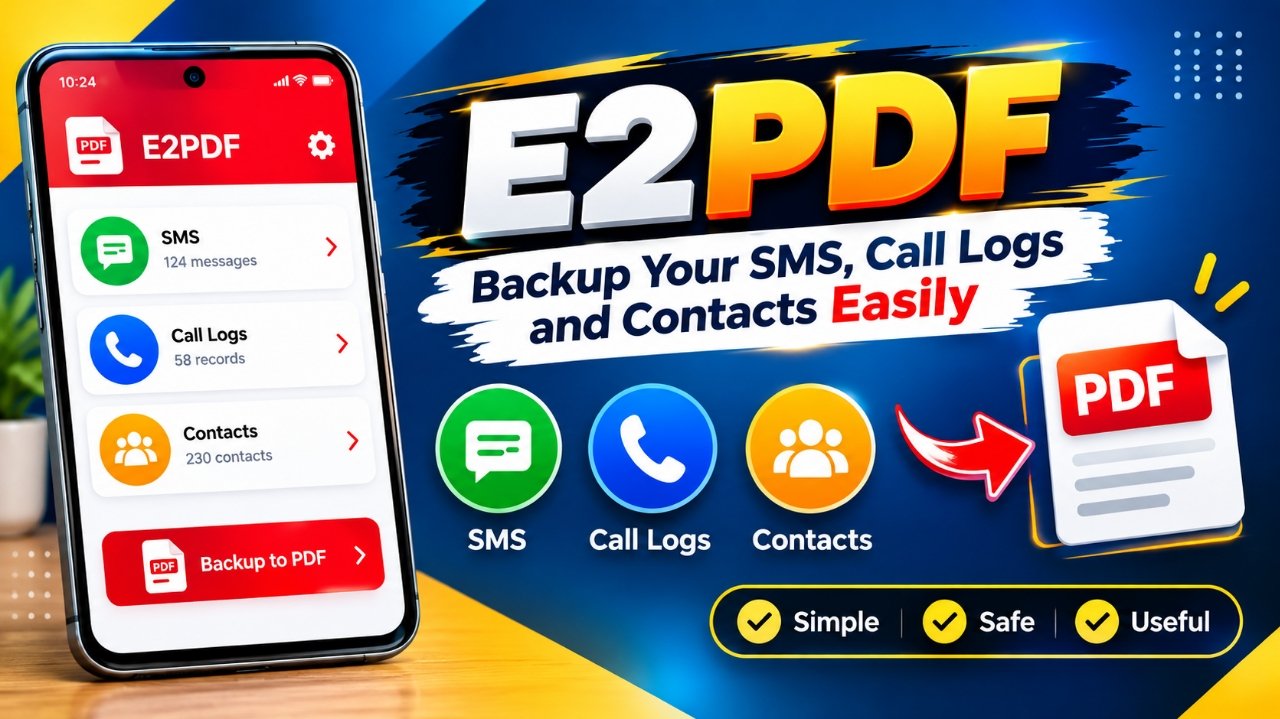
Keeping old phone records can be useful when you change your smartphone, reset your device, or simply want a separate copy of important information. While Android provides different backup options, not everyone needs a complete backup of their entire phone.
E2PDF takes a more focused approach. The Android utility is designed to export selected information such as SMS messages, call history, and contacts into PDF files. This makes the data easier to read, store, and access later.
Also Read: WT Hub – Web Scanner App: Features, Setup Guide, Benefits and Safety Tips
What Is E2PDF?
E2PDF is an Android app developed by Day Dreamer LLC. Its main purpose is to convert certain types of information stored on your phone into PDF documents.
Instead of creating a complete backup of your smartphone, the app concentrates on specific categories, including:
- SMS messages
- Call history
- Contacts
This can be useful for people who want a readable copy of selected phone information without setting up a complicated backup process.
Why Save Phone Information as a PDF?
There are several situations where having a separate copy of phone records can be helpful. Your smartphone could be lost, damaged, reset, or replaced, potentially making older information harder to access.
For example, if you are moving to a new Android phone, you may want to keep a copy of some old SMS conversations or call records for future reference.
A PDF can also be convenient because it can generally be opened on smartphones, tablets, and computers without needing the original app.
However, there is an important difference between exporting information to PDF and creating a complete backup. A PDF is mainly a readable record and should not be treated as a full copy of your Android device.
Main Features of E2PDF
1. Export SMS Messages
E2PDF can be used to create PDF documents containing SMS messages. This can be handy when you want to keep particular conversations in a format that is easy to read later.
2. Save Call History
The app also provides a way to export call-log information. Instead of relying only on the call history stored on your phone, you can maintain a separate document for reference.
3. Export Contacts
Contacts are another supported category. Depending on the app version and device compatibility, users can export contact information into a document.
4. Store Information in PDF Format
PDF is the central idea behind E2PDF. Since PDF files are widely supported, the exported document can be viewed on many different devices.
This can make the information easier to archive or share when appropriate.
5. Select the Information You Need
The app is focused on selected phone data rather than forcing users to create a complete device backup. Available selection options can vary depending on the installed version and Android device.
E2PDF: Pros and Cons
Advantages
- Simple concept and easy-to-understand purpose
- Supports SMS, call history, and contacts
- Creates readable PDF records
- Useful when you only need certain phone information
- Does not require setting up a complete device backup
- Exported files can be stored separately from the phone
Limitations
- The free version may contain advertisements
- It is not a replacement for a complete Android backup
- PDF files are better suited for reading and record-keeping
- Keeping the only exported copy on the same smartphone is not ideal
- Features and compatibility may change between app versions and Android releases
How to Use E2PDF to Create a PDF
Getting started with E2PDF is generally simple.
First, install the app on your Android smartphone and open it. Depending on the feature you choose, E2PDF may ask for access to information such as SMS messages, call logs, or contacts.
Before accepting any permission, take a moment to review what the app is requesting. Only provide permissions that you are comfortable granting.
Once the required access is provided, select the type of information you want to export. If the available version offers selection controls, choose the relevant messages, call records, or contacts.
After that, use the export option provided by the app to generate the PDF file. Give the document a recognizable name and save it in a location where you can find it later.
For important records, it is better to maintain an additional copy in a separate and secure location.
Is E2PDF a Complete Backup App?
No. E2PDF should not be considered a complete Android backup solution.
The app is more suitable for users who specifically want readable copies of SMS messages, call history, or contacts.
A full device backup can include many other types of information, such as applications, settings, photos, videos, files, and other device data. A PDF export of selected information does not provide the same functionality.
So, if your requirement is simply to keep certain phone records in a readable format, E2PDF can be useful. If you need to protect your entire smartphone data, you should use a suitable full-backup method as well.
Who Should Consider E2PDF?
E2PDF may be useful for Android users who:
- Want to keep old SMS conversations for reference
- Need a readable copy of their call history
- Want to preserve contact information separately
- Prefer PDF documents for record-keeping
- Do not need a complete phone backup
It may be less suitable for someone looking for an all-in-one solution to back up everything stored on an Android device.
Install
Also Read: WhatsApp Click to Chat: How to Message Someone Without Saving Their Number
Final Thoughts
E2PDF follows a straightforward idea: take selected information from an Android phone and turn it into PDF documents.
Its support for SMS, call history, and contacts makes it more of an export and record-keeping utility than a traditional full-device backup app. The PDF format can also make saved information convenient to view on different devices.
If you only need copies of specific phone records, E2PDF may be worth exploring. Just make sure important files are stored securely and that you do not depend on a single copy saved on the original phone.
Disclaimer
App features, permissions, compatibility, advertisements, and availability may change with updates or depending on the Android device being used. Always review the current app information and requested permissions before using E2PDF to export important personal data.
1 thought on “E2PDF Review: Save SMS, Call Logs and Contacts as PDF on Android”